Narjit Aujla
ProjectConcept2026Solo PM and designer

Project Jarvis

The hobbyist's professional project planner. Take a photo of any space, visualize the possibilities, and dispatch agents to procure the materials.

Jarvis is a concept that’s waiting on development. The idea came up when I was planning to redo our backyard with a swing set and some gravel leveling. The pain point I want to solve is how imprecise the send-a-picture-to-an-LLM workflow is. It rerenders the whole image, hallucinates badly, and ends up too unreliable for real project planning.

What sets Jarvis apart is the slicing algorithm. Instead of rerendering the whole picture, Jarvis crops only the elements you highlight and rerenders just those. About 95% of each image stays untouched, which lowers token costs and leaves less room for hallucination.

Jarvis can also look up any product on the web and pull in images and local pricing. In the next iteration, it will work out permitting requirements and order supplies through Agentic Foremen.

The screens below come from the Jarvis prototype I used to map out product requirements and interface design. You describe a yard project with a photo, iterate with Jarvis, check a priced bill of materials, and approve the orders for agents to fulfill.
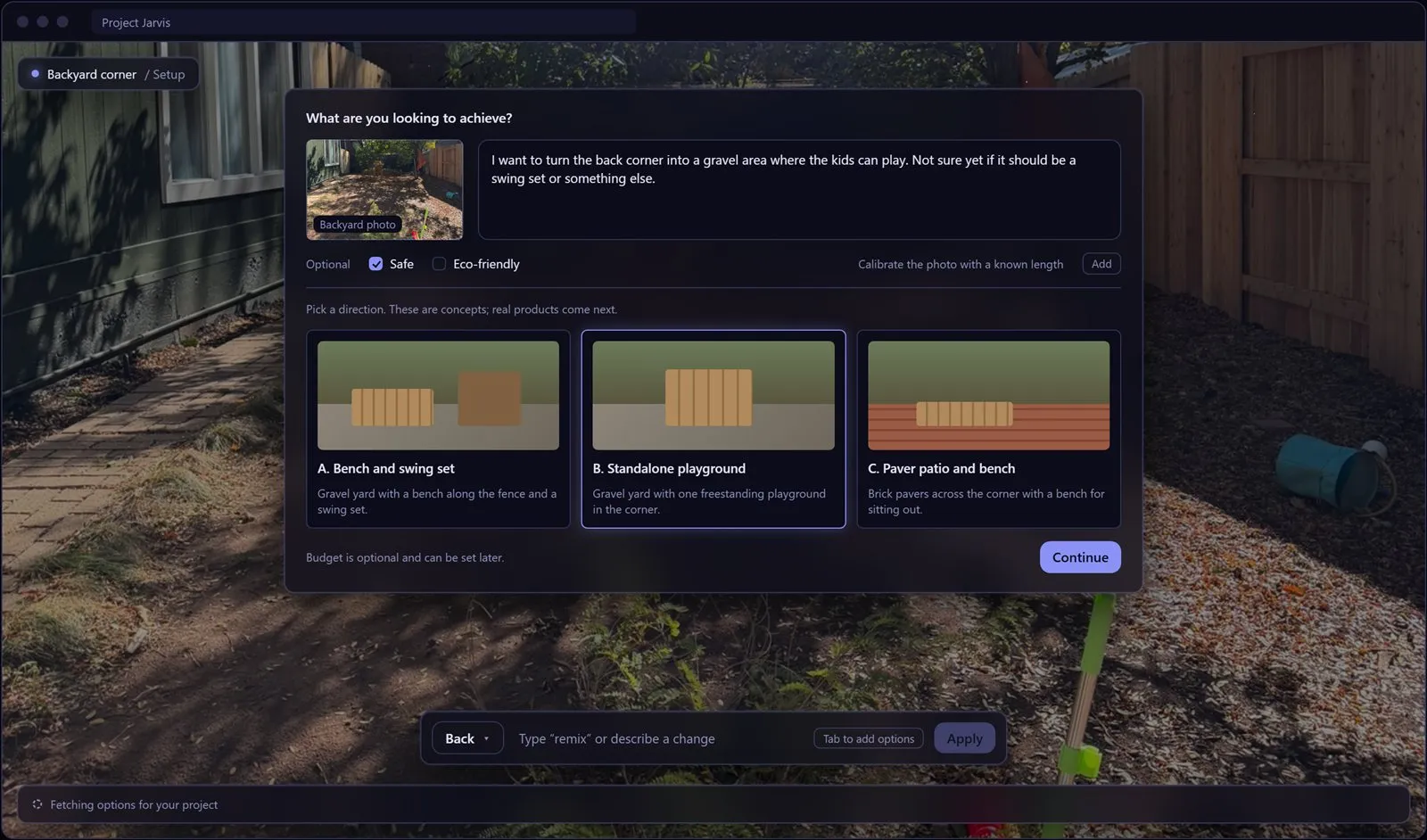
The Jarvis setup screen over a photo of a backyard corner. A text box holds the goal, a gravel play area for the kids, above three direction cards that read bench and swing set, standalone playground, and paver patio and bench.
01 · Setup. One photo and one sentence in. Three directions back, before any product search.
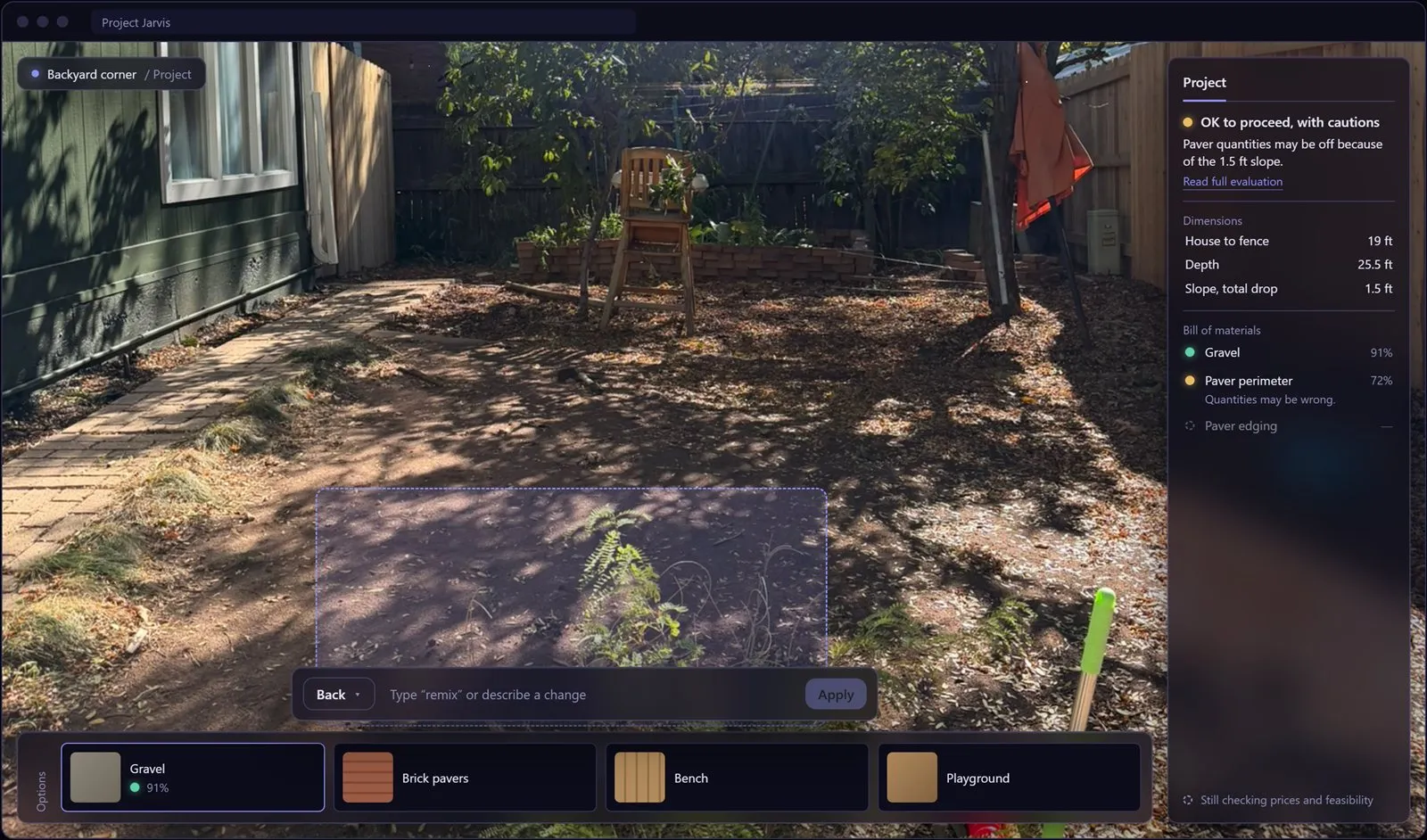
The Jarvis project screen over the backyard photo. A side panel says OK to proceed, with cautions, and lists dimensions and a bill of materials with a confidence score on each line, including a warning that paver quantities may be wrong.
02 · Project. Every bill-of-materials line carries a confidence score, and cautions are stated plainly.
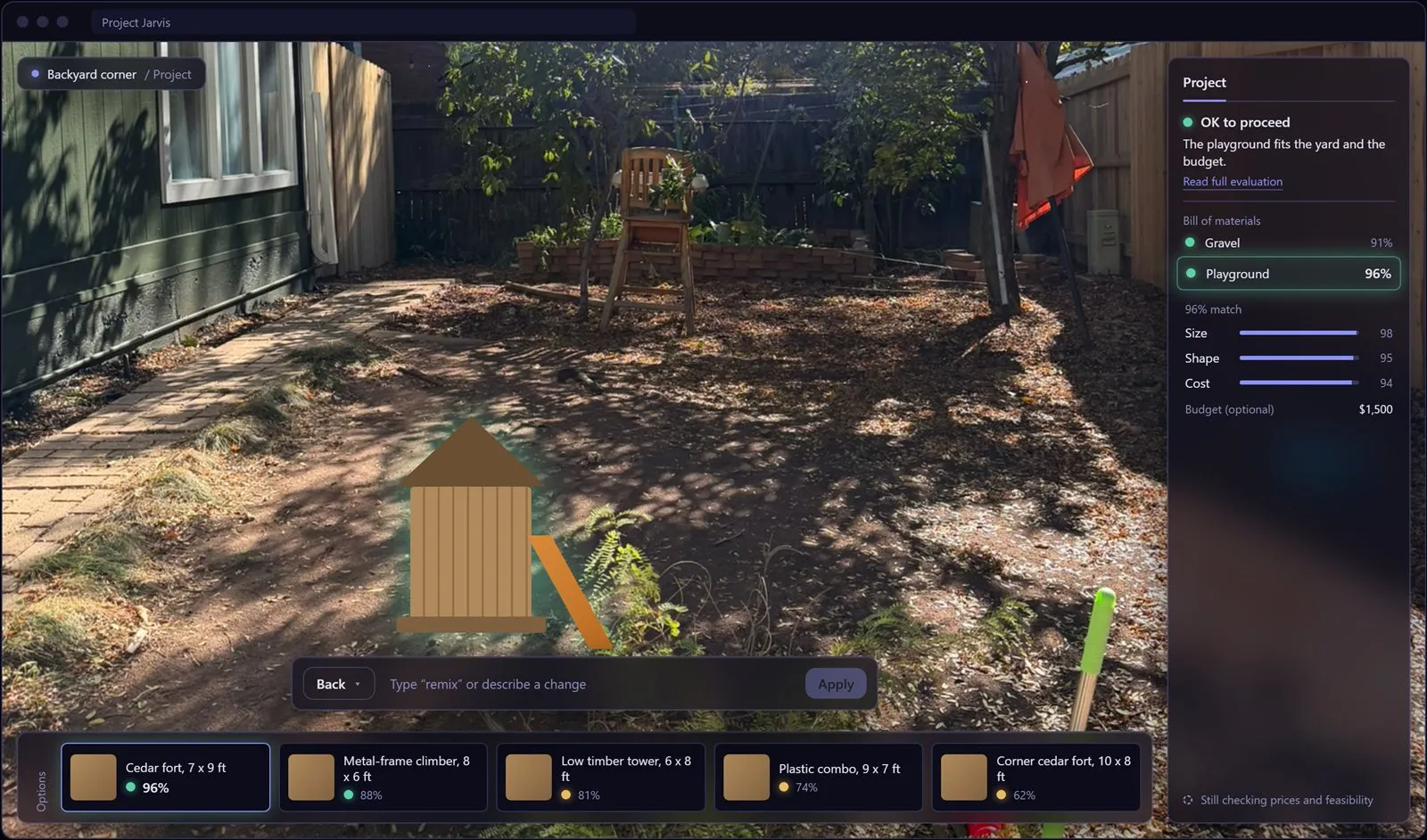
The Jarvis match screen. A cedar fort is drawn into the backyard photo, and a side panel scores it 96% on size, shape and cost, with four other playgrounds ranked below.
03 · Match. Real products, scored on size, shape and cost against the yard. The best fit shows in the photo.
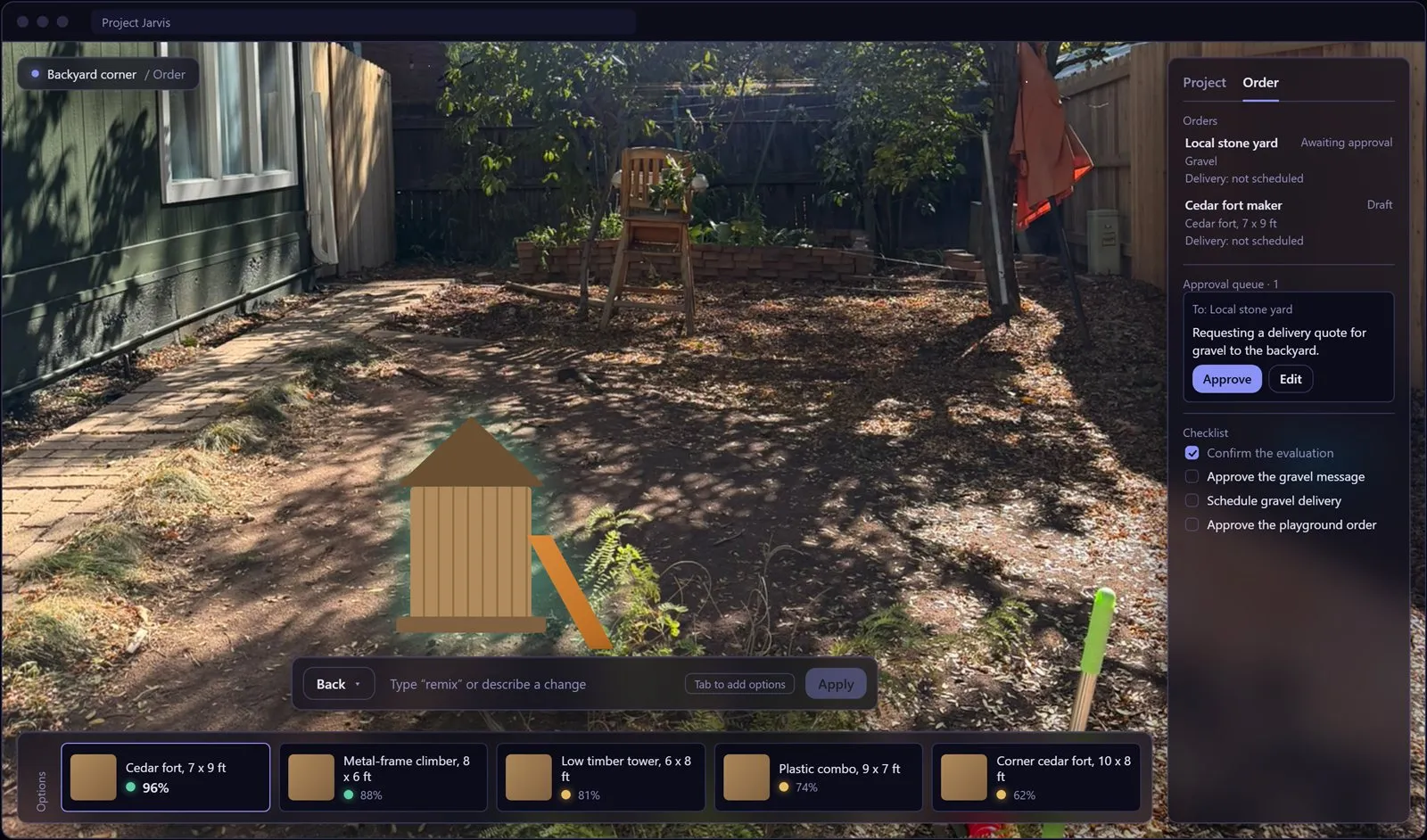
The Jarvis order screen. A side panel lists two orders, an approval queue with one message to a stone yard and Approve and Edit buttons, and a checklist.
04 · Order. Orders and messages wait in an approval queue. Nothing is sent until I approve it.

← All work